Laser Shooting
Moderator: Moderators
Laser Shooting
Is it possible to get the guns to shoot laser beams instead of bullets? For example like in FT when melting excepting I dont want a long concentrated beam and I want it to come out of the gun. So basically laser bullets.


Go to the link below. Use the search function. I looked through it quick last night but didn't find the post. It was more or less recent, but still hard to find.
http://www.modtheater.com/forum/index.php
http://www.modtheater.com/forum/index.php
http://modtheater.com/forum/showthread.php?t=28418
lol I just searched for pencil.tik and it came up easy
Now when I use that light code should it look like this?:
lol I just searched for pencil.tik and it came up easy
Now when I use that light code should it look like this?:
Code: Select all
TIKI
setup
{
	scale 0.25
	path models/miscobj/clipboard_pencil
	skelmodel pencil.skd
	surface pencil shader pencil
   dlight 10 0 0
}

init
{
	server
	{
		classname object
	}
}

animations
{
	idle     pencil.skc
}

/*QUAKED static_items_pencil (0.0 0.75 0.5) (-8 -8 0) (8 8 16)
*/10 0 0 300 __300 being the size of the light so you can see it. You can make adjustments later.
You're now gonna have to make the pencil.tik.............. the object that the gun shoots. I assume you'd have to replace the means of death or something like that.
I never did it using a pencil. In the post above, link above, someone mentioned using a projectile, ( bazookashell.tik/bazookashell_dm.tik), in place of means of death or something. You'l have to resize the baz-shell and add dlight, and you'll have to make the right file set-up for it. I'll look around on a couple of discs I have to tr and help . Not going to promise anything. Have stuff all over and it's a pain to find.
You're now gonna have to make the pencil.tik.............. the object that the gun shoots. I assume you'd have to replace the means of death or something like that.
I never did it using a pencil. In the post above, link above, someone mentioned using a projectile, ( bazookashell.tik/bazookashell_dm.tik), in place of means of death or something. You'l have to resize the baz-shell and add dlight, and you'll have to make the right file set-up for it. I'll look around on a couple of discs I have to tr and help . Not going to promise anything. Have stuff all over and it's a pain to find.
So I took a corona and made a projectile out of it for the weapons:
But that just turns things under it the color green. I want the whole object to be green. How do I do that?
Code: Select all
TIKI
setup
{
	scale 16
	path models/fx/unitsquare
	skelmodel unitsquare.skd
	surface material1 shader corona_orange
}

init
{
	server
	{
		classname			Projectile
		setsize				"-1 -1 -1" "1 1 1"
		speed				2500
		gravity				0
		hitdamage			1000
		life				10.0
		health				1000.0
		meansofdeath			thrownobject
		smashthroughglass		64
		knockback			50
		scale                           1.0
		light                           0 4 0 100
	}
}

animations
{
	idle     unitsquare.skc
}

/*QUAKED static_corona_green (0.5 0.0 0.5) (-8 -8 -8) (8 8 8)
*/
But that just turns things under it the color green. I want the whole object to be green. How do I do that?
-
chrisredfield003
- Sergeant
- Posts: 56
- Joined: Thu Oct 05, 2006 1:00 am
- Contact:
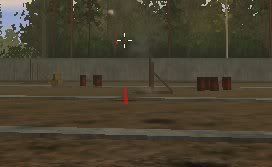
lazer beam above
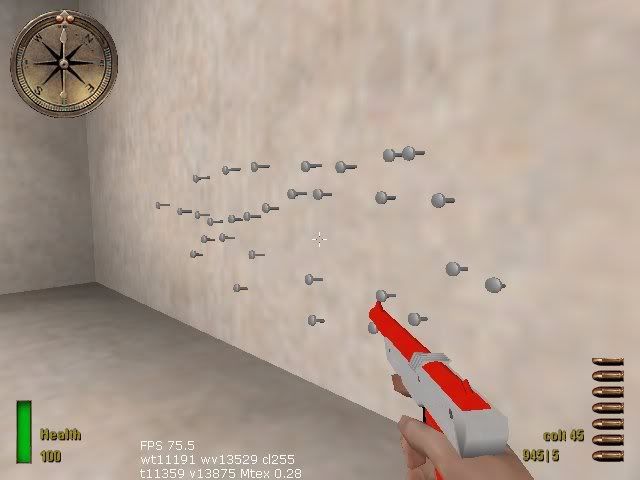
My nail gun projectiles stick to things and are also projectiles
projectiels are my favorite and drove me quite mad
My zapper shoots blue / red lazer beams i can add this to stock weapons if thats what u want? if u wanna add it (the beam i made) to a mod id also like to help....
i made other projectiles like the spray paint/bow and arrow/throwing stars/sticky c4 ect so let me know if u wanna see some of ur ideas ingame id like to help..
u can see some of my projectiles here at .map
/forum/viewtopic.php?t=12201&start=30