OK, i removed my entdefs.pk3 from my main last night to play in a match using DMWII. Today I opened my SDK to carry on working on my map that is 75% finished and remembered that i need to put the entdef back in main. shut down SDK moved the pk3, opened SDK and WHAMMO, all my brushes are BLACK, no textures...If I start a new map the textures remain, but anything old they are BLACK..HELP, lots of work/hours lost...
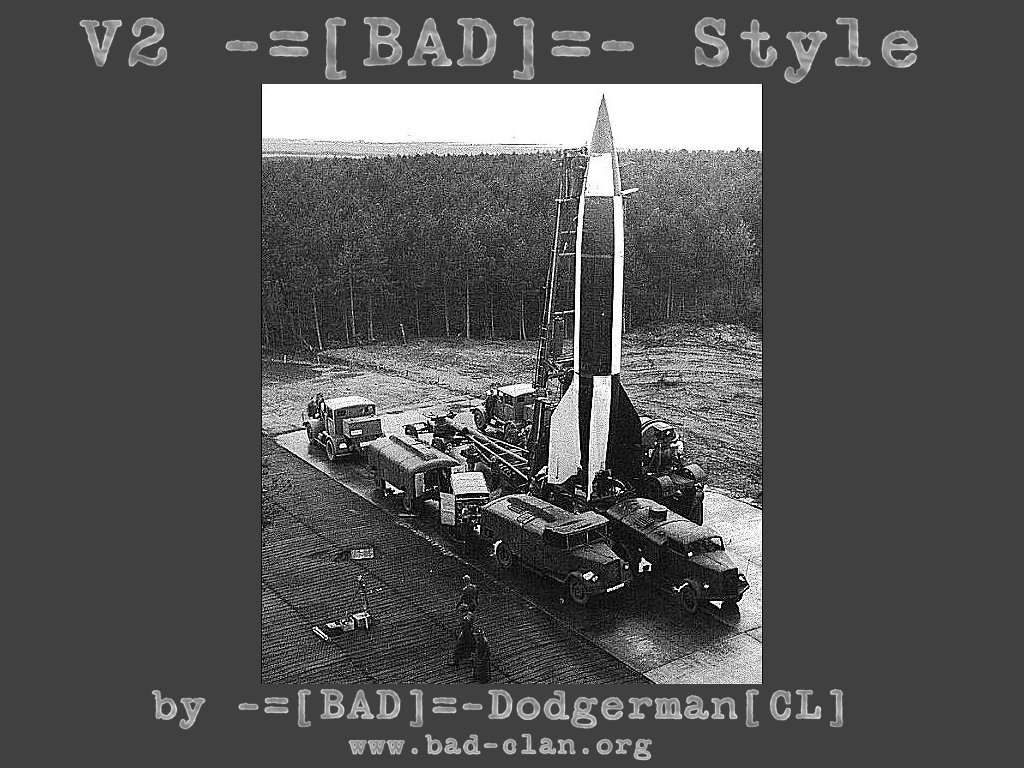
Take a look at what it may turn out like if I get the damn thing working again..
http://www.kearton.com/bad/v2badstyle.jpg
Black textures HELP!!!!
Moderator: Moderators
-
-=[BAD]=-dodgerman[CL]

- Sergeant
- Posts: 52
- Joined: Mon Sep 29, 2003 7:13 pm
- Location: UK
- Contact:
-
-=[BAD]=-dodgerman[CL]
- Sergeant
- Posts: 52
- Joined: Mon Sep 29, 2003 7:13 pm
- Location: UK
- Contact:
post a screen shot..the textures are black, even if i applied a new texture, compile it!!!,,,np if i cant fix it...i cant see the wall textures or any textures because they all turn black..bloody DMWII crapy anti-cheat...i'll try to reinstall the SDK first...hope it works...By the way, if i select a brush, it applies the texture, if i deselect it, it turns black again.....

SKD
The spearhead SDK does not need entdefs.pk3--it is built-in to the game pak files in mainta. The Mohaa editor is the one that uses entdefs.pk3 and it has to be in main for that editor to work right.
Tom Trude,

I've had the excactly same problem.
I cant remember totally what i did, but this happened when i started to fiddle with the lightning settings in the editor, eks:
view-->open gl lightning
view-->lightning-->real lightning
Try setting the settings to the normal settings.
Uncheck everything:
open gl lightning
all the various things inside the option view-->lightning
That should do it, i hope
I cant remember totally what i did, but this happened when i started to fiddle with the lightning settings in the editor, eks:
view-->open gl lightning
view-->lightning-->real lightning
Try setting the settings to the normal settings.
Uncheck everything:
open gl lightning
all the various things inside the option view-->lightning
That should do it, i hope
-
-=[BAD]=-dodgerman[CL]
- Sergeant
- Posts: 52
- Joined: Mon Sep 29, 2003 7:13 pm
- Location: UK
- Contact:
Re: SKD
do you think i'm a newbie at mapping..lmao...tltrude wrote:The spearhead SDK does not need entdefs.pk3--it is built-in to the game pak files in mainta. The Mohaa editor is the one that uses entdefs.pk3 and it has to be in main for that editor to work right.
Yes
Maybe you are not a rookie, but your post sure makes you look like one. Only a rookie mapper would name his map "Bad Style", ha ha.
Tom Trude,

if you opened the map without the entdefs in the main directory then radiant tried to open the map but did know what lets say a script_object was so it curupted your map somehow thats my guess . Maybe open the map in notepad and compare it to other maps that work a map is is text after all . Maybe your backup file is ok did you take the .bak and rename it to .map to see if it is ok ?
-
-=[BAD]=-dodgerman[CL]
- Sergeant
- Posts: 52
- Joined: Mon Sep 29, 2003 7:13 pm
- Location: UK
- Contact:
Re: Yes
OK numbnuts, your the expert, tell me how i fixed the problem..none of the above....tltrude wrote:Maybe you are not a rookie, but your post sure makes you look like one. Only a rookie mapper would name his map "Bad Style", ha ha.
beside's how many maps have you made?,,,,,
Hmmm
Sorry, but you wont get help from me, and most of the people that use this forum, with a -=[BAD]=- attitude like that!
Tom Trude,
Re: Yes
Would you be so polite as to tell us? Other users may have the same problem-=[BAD]=-dodgerman[CL] wrote:OK numbnuts, your the expert, tell me how i fixed the problem..none of the above....

Btw posts like this
are really not appreciated here. Remember tltrude was only trying to help you.-=[BAD]=-dodgerman[CL] wrote:do you think i'm a newbie at mapping..lmao...

-
-=[BAD]=-dodgerman[CL]
- Sergeant
- Posts: 52
- Joined: Mon Sep 29, 2003 7:13 pm
- Location: UK
- Contact:
OK, first, trying to help me is NOT slagging my work off. Second, sorry if I offened anyone but if you read my first post you would see i did try the usual stuff....
problem+result...
ok, what i did when i moved the entdefs, was i put it in the mohaatools folder and was gunna remove it back after i'd finished the game on DMWII. Problem happened because "I think" i'd left the SDK and my folder open when I used DMWII. What I've noticed is the entdefs.pk3 pak was smaller in size after using dmwii, some of the .cpp files were missing. also i'm sure SDK must have been corrupted some how. I messed with all the lighting settings to try and see if that was it. But in the end I did a total reinstall.....
Leason learned here is, Never leave open any Apps that have anything to do with Mohaa when running Anti-cheat stuff like DMWII I guess..
problem+result...
ok, what i did when i moved the entdefs, was i put it in the mohaatools folder and was gunna remove it back after i'd finished the game on DMWII. Problem happened because "I think" i'd left the SDK and my folder open when I used DMWII. What I've noticed is the entdefs.pk3 pak was smaller in size after using dmwii, some of the .cpp files were missing. also i'm sure SDK must have been corrupted some how. I messed with all the lighting settings to try and see if that was it. But in the end I did a total reinstall.....
Leason learned here is, Never leave open any Apps that have anything to do with Mohaa when running Anti-cheat stuff like DMWII I guess..