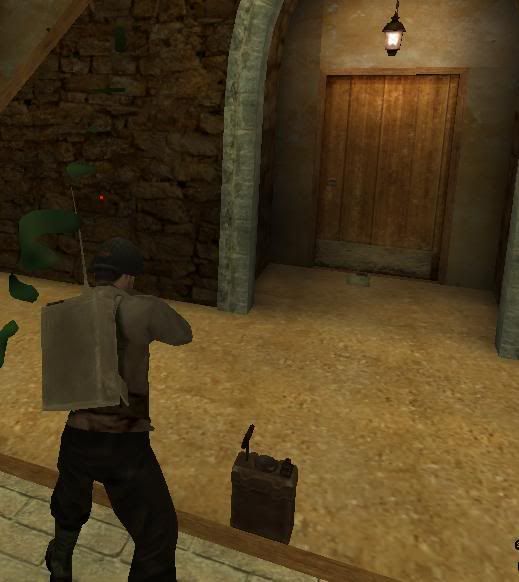
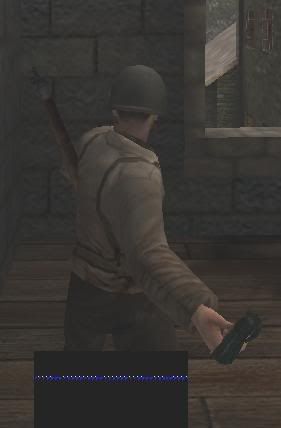
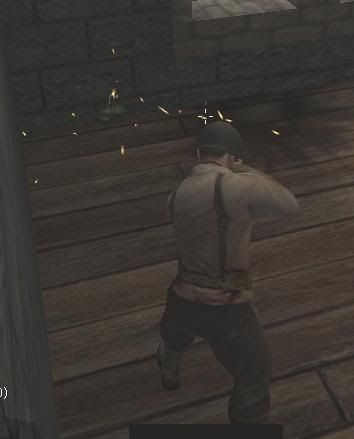
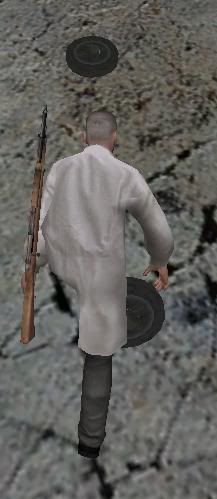
everywhere placeable explosive......?
Posted: Sat Dec 20, 2008 9:10 am
I saw it on one AA server, anyone have script?
MoHAA Mapping
http://map.moh-central.net/forum/
Code: Select all
//----------------------------------------------
main local.player local.model local.scale:
//----------------------------------------------

	//	Calculate the vertical height of the throw
	local.vertical = (local.player getcontrollerangles 0)[0]
	local.vertical = 0 - local.vertical
	//wait 1

	//throwing animation, unfortunately not First-Person viewable
	local.player forcetorsostate RELEASE_ATTACK_GRENADE
	wait 0.15

	// This next section is to return the player to a default state.
	// Apparently without this, he cannot throw something again.
	if ( (local.player getposition)[0] == "c" )
	{
		local.player forcetorsostate STAND
		//local.player forcelegsstate CROUCH_IDLE
	}
	else if ( (local.player getposition)[0] == "s" )
	{
		local.player forcetorsostate STAND
		//local.player forcelegsstate STAND
	}
	local.player playsound m2frag_snd_grenade_throw weapon


	//	Calculate Destination spot
	local.start = self gettagposition "eyes bone"
	local.fwd_vec = angles_toforward local.player.viewangles
	local.hit_location =  local.start + local.fwd_vec * 16

	local.dest = trace (local.start + local.fwd_vec * 64) (local.start + local.fwd_vec * 500) 1

	local.mine = spawn script_model "model" local.model
	local.mine solid
	local.mine.scale = local.scale

	//local.org = local.player.origin
	//local.org[2] = local.org[2] + 90

	local.mine.origin = local.hit_location
	local.vect = (local.dest - local.player.origin)
	local.vect = vector_normalize (local.vect)

	//	Calculate distance to destination
	local.dist = vector_length (local.player.origin - local.dest)

	//	Calculate the bow of the throw
	local.vect[0] = 	local.vect[0] * (local.dist / 1.5) * 3
	local.vect[1] = 	local.vect[1] * (local.dist / 1.5) * 3
	local.vect[2] = 	local.vect[2] * local.dist * ( local.vertical / 5 )

	local.vect[2] = local.vect[2] + local.vertical

	local.mine physics_on
	local.mine rotateX (local.vect[0] / 3)
	local.mine physics_velocity local.vect

	local.isplayer =1
	while(local.isplayer == 1)
	{
		local.mine waittill touch
		local.hit = parm.other

		if!(local.hit==local.player)
		{
			local.isplayer = 0
			local.mine rotateX 0
			local.mine.angles = ( 0 0 0 )
			local.mine physics_off
			local.mine.velocity = ( 0 0 0 )
		}
	}

	if (local.hit == $player)
	{
		local.mine attach local.hit "Bip01 Head"
	}

end local.mineCode: Select all
setup:
local.tr = spawn trigger_use
local.tr.origin = ( X Y Z )
local.tr setsize ( -20 -20 -30 ) ( 40 40 50 )
local.tr setthread pickup

local.it = spawn script_model model "items/explosive2.tik"
local.it.origin = local.tr.origin
local.it notsolid
local.it scale 1.6

local.tr.item = local.it
end

pickup:

local.p = parm.other
local.team = local.p.dmteam
local.p playsound pickup_explosives
self.item remove

local.p iprint "You picked up the explosives!"

while(isAlive local.p && local.p != NIL && local.p != NULL && local.p.dmteam == local.team)
{
local.time = 0
while (local.p.useheld == 1 && isAlive local.p && local.p != NIL && local.p != NULL && local.p.dmteam == local.team)
{
waitframe
local.time += 0.05
}
if (local.time >= 1.00)
{
local.bomb = spawn script_model model "items/explosive2.tik"
local.bomb.origin = local.p.origin + ( 0 0 40 )
local.bomb notsolid
local.bomb droptofloor
local.bomb thread explo
local.p playsound plantbomb1
local.p iprint "Bomb planted!"
waitframe
end
}
wait 0.1
}
end

explo:
self.exploding = 1
self thread blinky
self loopsound bombtick
wait 20
self stoploopsound
self loopsound final_countdown
wait 10
self stoploopsound

self.exploding = 0
waitframe
local.exp = spawn models/animate/fx_mortar_dirt.tik
local.exp.origin = local.origin

local.jitter = spawn func_viewjitter "targetname" "viewjitter"
local.jitter.origin = local.origin
local.jitter jitteramount ( 3 2 2 )
local.jitter duration 1.0
local.jitter radius 150

local.or = spawn script_origin
local.or.origin = self.origin

local.exp anim start
radiusdamage local.or 200 150
waitframe
local.jitter doActivate $world
self remove
wait 2
local.or remove
local.exp remove
local.jitter remove

end

blinky:
local.b = spawn script_model model "fx/corona_red.tik"
local.b.origin = self.origin + ( 0 0 15 )
local.b notsolid
while (self.exploding == 1)
{
local.b hide
wait 0.5
local.b show
}
local.b remove
end ) and making server side snowballs and molotovs. When Jethro was asking about stuff on TMT I became motivated, but I have not looked at the scripts in awhile.
 Code: Select all
local.player forcetorsostate RELEASE_ATTACK_GRENADE