Page 1 of 1
.BSP file getting huge...
Posted: Fri Apr 30, 2004 1:48 am
by [ARGW] Tenebris
Hi there... This is not actually a "problem"... But it's starting to become an inconvenience... I'm working on a new map (the "Reichstag Project" presented in the "Bragging" forum...
The inconvenience is that my .BSP is getting alarmingly huge from one test compilation to other... Right now, with less than half the map completed, my .bsp file for it is over 16 megs... And I'm afraid that the final version will be around 30 or 40 megs, which sounds absolutely demented for me...
I'm working with MBuilder on a very standard mode, with no special settings selected... And I know it's actually a big map for some 32 players... Still, the size of the .bsp looks awfully huge...
My question is, then... What does actually determine the size of a .bsp file...? What should I be taking in mind, considering or looking for in the construction...? Is there a way to control the file end size somehow...?
As always, thanks in advance...
Posted: Fri Apr 30, 2004 7:02 am
by Bjarne BZR
BSP files compact nicely when zipped

My "Vemork Factory" was just under 30 Mb, so I really don't think there is anything to worry about... Concentrate on FPS instead.... as a big map has a big amount of polygons.
Posted: Fri Apr 30, 2004 8:05 am
by TopTiger
The .bsp will be 4-5 times as small in the .pk3 file.
Posted: Fri Apr 30, 2004 8:31 am
by bdbodger
The light stage is amost half of the size of the bsp .
caulk and detail
Posted: Fri Apr 30, 2004 10:08 am
by tltrude
Don't forget to caulk and make stuff detail (at least the steps). For Mbuilder the BSP compile should be set on the verbose option, vis on -fast, and light with no option showing.
Make sure your skybox is sealed. Reduce the complexity of patches to the point where they start to look blocky and them increase by one key press (bracket keys). Replace trees with tree line texture on a single brush or patch where possible. Reduce the number of models in the map and consider making some buildings fake (with locked doors).
Detach and delete any LOD sections no one will ever see, and delete lod facets (Shift + F) under buildings, patch mesh hills, and roads--check the map with low detail settings for holes.
Hope that helps!
Posted: Fri Apr 30, 2004 10:09 am
by [ARGW] Tenebris
I guess that, being used to small maps with small .bsp files, I started to get nervous when I started to see this .bsp in particular growing as The Thing...
But now, knowing that I should depend more on ambientlight and less on single lights (as I assume from Bodger's Tip), that my pk3 won't be as large as the .bsp alone (Toptiger Wisdom) and that, after all, a 30 megs .bsp is not something to worry about (Bjarne's Experience) I have regained my faculties to, basically, be able to sleep again...
(And I'm not forgeting tltrude... I just didn't saw his post on time... Weird things happen when two people post at the same time... tltrude, all of that will be considered, thanks for all the tips and advice...)
As always, thank you all, people... I shall make a monument to this forum... (And you all should start your own Studio and start working on a new game... EA is always looking for new faces...)
Posted: Fri Apr 30, 2004 10:58 am
by Bjarne BZR
[ARGW] Tenebris wrote:But now, knowing that I should depend more on ambientlight and less on single lights
I disagree there. Ambientlight looks like crap when too high. The secret is not to use ambinetlight, but to use the right balance between ambient and point light. And to use the right levels of the two.
Have you seen on set pictures from a film? In daylight? And compared it to how it looks in the film?
You prefer:

...or:
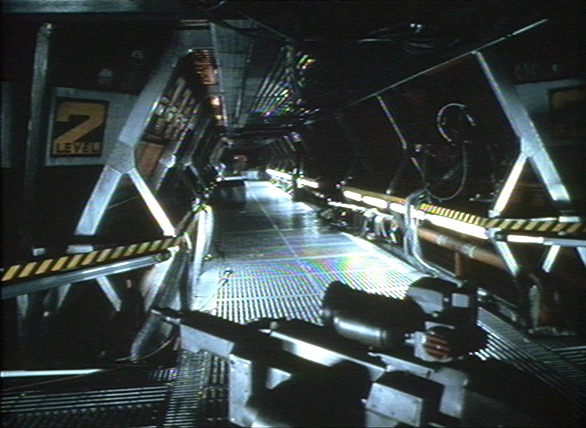

Posted: Fri Apr 30, 2004 11:40 am
by [ARGW] Tenebris
I see your point, Bjarne... To this moment, I was enterily depending on point lights with no ambientlight at all... I'm starting to think that was a mistake, since I found myself trying to fill every gap with point lights... The effect was the same: point light shining everywhere with no dark places...
Now, I'll try to be as clear as I'm able to, I'm starting to move to some low ambientlight in a reddish tone, just to create a mood, not to fill the map with ambientlight, but to fill the "dark spots" and be able to limit the point lights intensity since, with ambientlight, those "dark spots" can still be seen without being just "black areas"... Is this idea any close to yours...?
Thanks for those images, by the way... They're very inspiring (which means there's a lot of ideas to steal from them, like the lights shining on the columns to enhance the perspective effect...)
Posted: Fri Apr 30, 2004 3:04 pm
by Bjarne BZR
Yep Tenebris, you understood me exactly right.
Posted: Sat May 01, 2004 11:36 am
by bdbodger
One other way to add light is sunlight . In night maps you can use blueish sun color and no sunflare . Not sure which mission it was the one where you rescue the downed pilot and get to the safehouse I think that map used the sun settings this way .
Posted: Sat May 01, 2004 12:00 pm
by jv_map
Well I prefer to use only sunlight and quite a bit of ambientlight... I think it's more realistic than to have all these interesting phenomenons like invisible light sources all over the map

But, at all cost, do what you yourself like best
Posted: Sat May 01, 2004 2:32 pm
by Bjarne BZR
Oh, yes. I agree jv. What I was talking about was indoors environments, sunlight is the roxor, outdoors
I think the biggest error people make is not the use of ambinentlight, but the use of
high levels of ambinentlight.
And also, as you point out, point lights without a visible lamp or fire looks strange indeed.