Page 1 of 1
Weird grid issue
Posted: Wed Aug 25, 2004 12:28 am
by antivirus
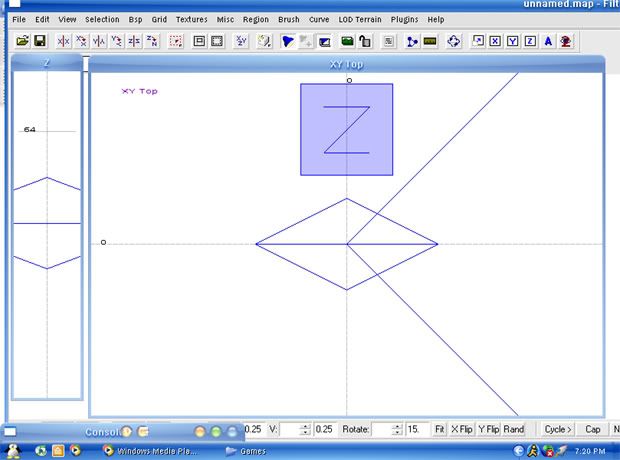
Alright when I zoom in w/ the wheel, and press the number keys to change the size of the grid, it doesnt change, but there is like niches that do change. Its almost like a grid setting was changed, but i cant find it.
Heres a screeny, maybe you can help...?
Thanks a lot,
Rob/Antivirus
grid
Posted: Wed Aug 25, 2004 2:48 am
by tltrude
Under the "grid" menu click on "show grid" and "grid 8". Also check the little eyeball icon and in preferances in the upper left corner to see if your settings have changed.
Posted: Wed Aug 25, 2004 3:02 am
by antivirus
aah that didnt help. When I chose the 8 it didnt allow me to make brushes though. And Im assuming you meant the right side with the eye?
grid 8
Posted: Wed Aug 25, 2004 3:08 am
by tltrude
"Grid 8" is key 4. The eyeball icon is on the menu bar and you have it set on "2". It has three settings that change between different configuration of the control keys and mouse buttons. I like the one with no number. I also like the first window configuration on the left, in preferences, because it does not use floating windows.
Also, make sure you don't have "cubic clipping" turned on.
Posted: Fri Aug 27, 2004 1:31 am
by antivirus
everything on mine is customized the way i want it except for the stupid grid thing.
I just dont know what to do!