This is a quick guide to get you started
with mIRC and into our channel. This tutorial is using mIRC
v5.82, but you should be able to connect with any version.
So, after you have downloaded and installed
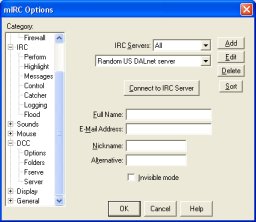
mIRC, start it up. Click on the scrolling text bit where it
says unregistered copy. You should see :
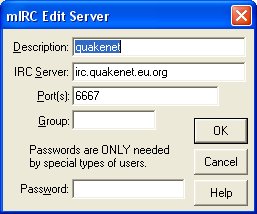
Click on the Edit button in the top right
hand corner. Now enter the server details, as in the pic below.
After filling that in, click
on ok. Continue by filling in your name, your email address,
your nickname and a backup nickname in case the first is taken.
Then click on "Connect to Server".
A status box will pop up
and show you being connected to the server. When the text
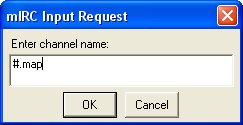
has finished scrolling, go to commands and select join:
Type in #.map (which is the
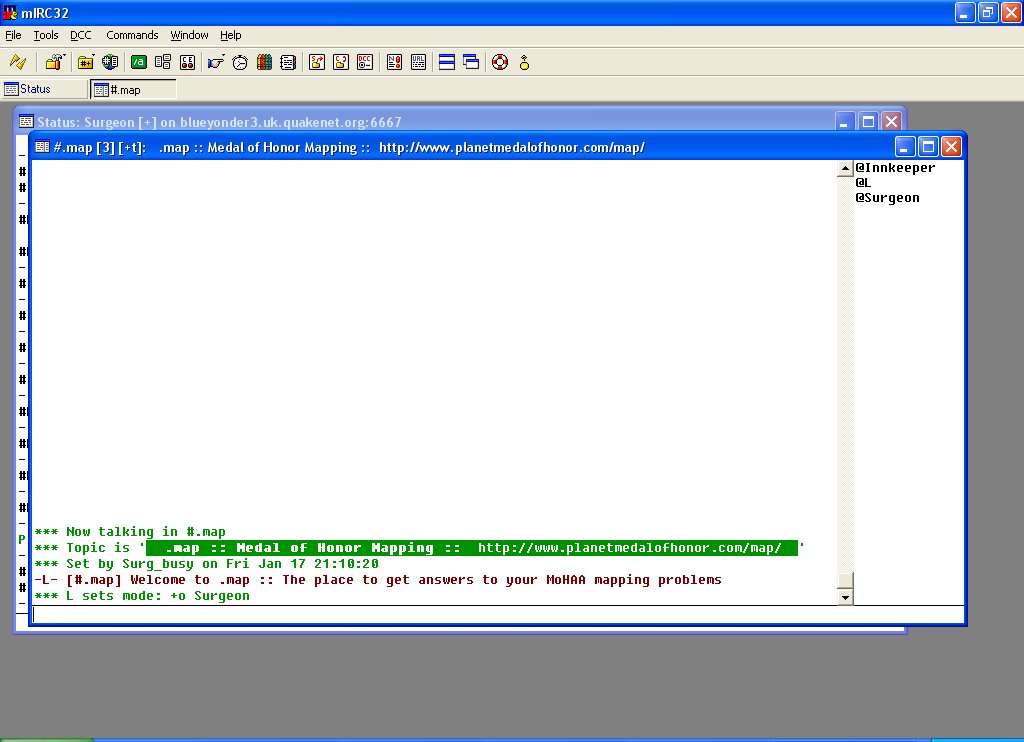
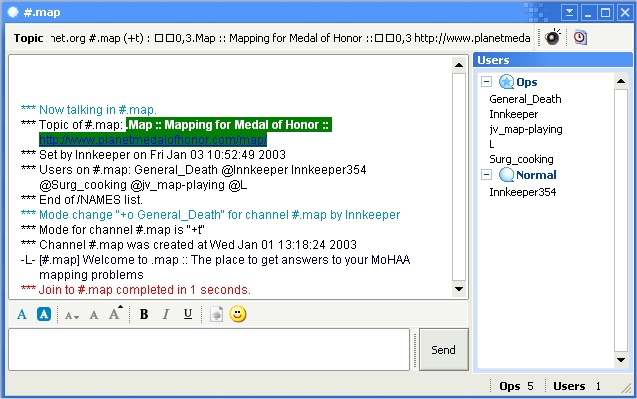
channel name), and click ok. You should then be in the .map
channel and ready to chat:
So you want to join .Map in our IRC channel
but don’t have any idea on how to setup your chat program
Trillian. It’s very simple to do and before you know
it you will be in the channel. These directions are for Trillian
Pro so the directions may vary slightly from the free Trillian
version.
First thing you need to do after you have
opened Trillian is to left click on the IRC button, which
is between ICQ and MSN.
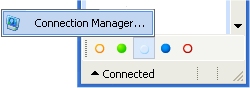
Now click on the “Connection Manager”
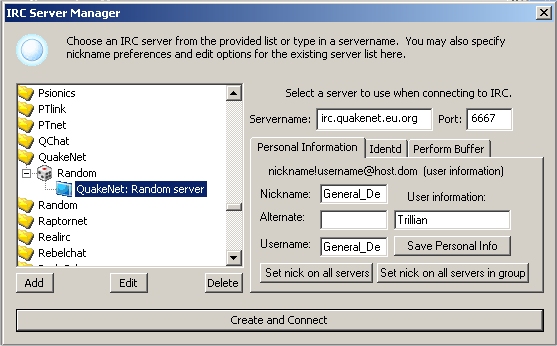
and add an IRC connection. Once you do that you will see a
new window open.
Scroll down to the “QuakeNet”
server and pick “Random server” and make sure that
“irc.quakenet.eu.org” is in the “Servername”
box. Now in the “Nickname” and “Username”
boxes add in the name you want to appear as in the channel.
Once that’s don’t click the “Create and Connect”
button that is at the bottom of that window and then “Close”
in the Connection Manager. Now you will see that the IRC button
is active and you’re connected to “irc.quakenet.eu.org”.
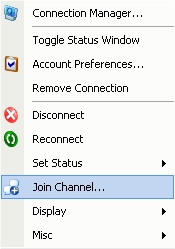
Now right click on the IRC button and
a new menu will popup.
Click on the “join channel”
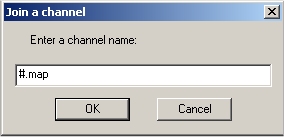
option and then you will see this popup.
Type in “#.map” and then click ok.
Now you’re in the channel and ready
to chat and ask any question you need answered. This is just
another way .Map it trying to help out the Mohaa community.