• Singleplayer • DM / TDM • Objective • CTF • TOW • Liberation
This tutorial shows you how to make an elevator, using the door function.
The only exception is, using the door function, you can only have two floors:
Downstairs and upstairs.
So let’s start!
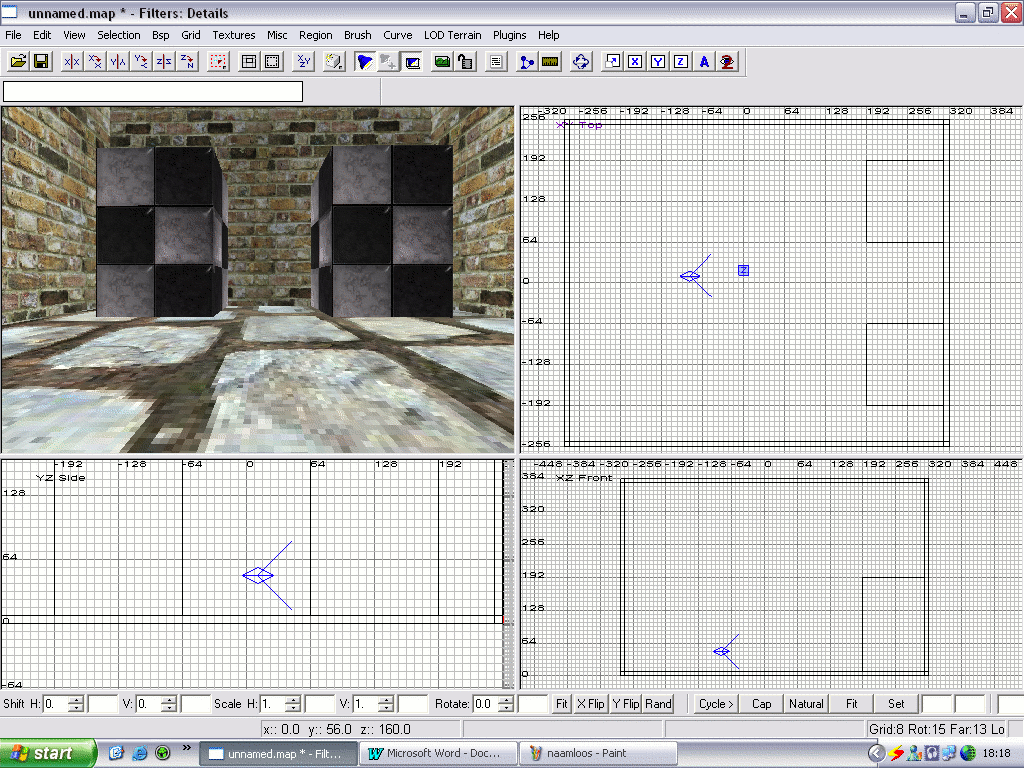
Make an area with two buildings. We’re going to make an elevator between these buildings.
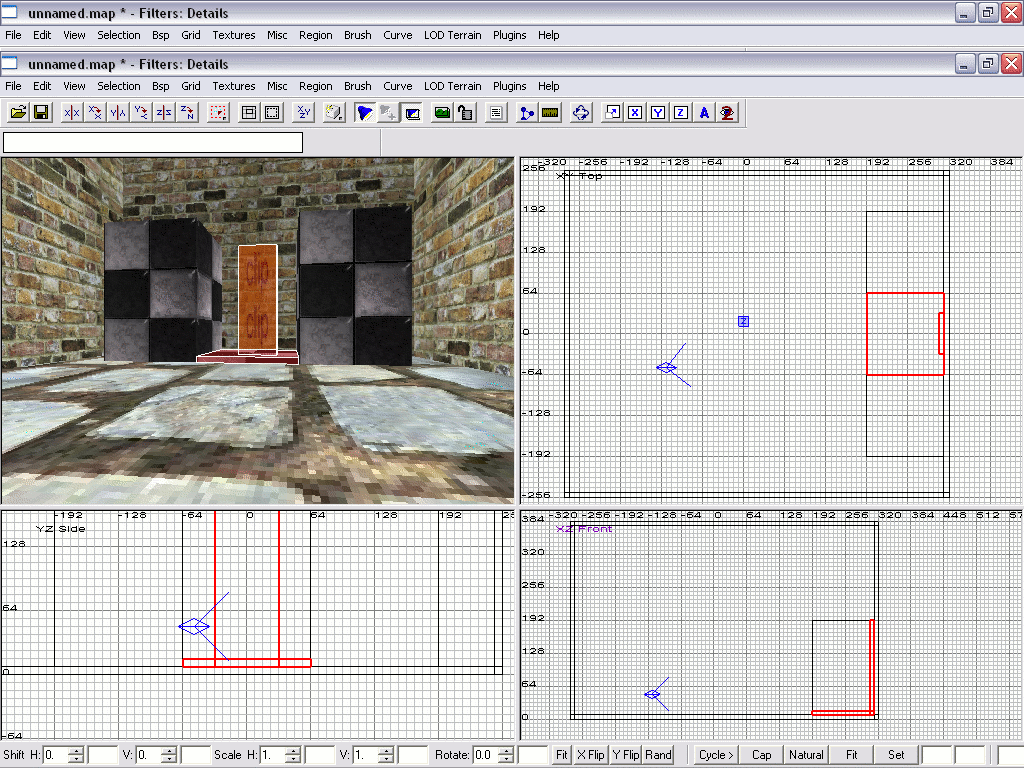
Now apply a ‘Common->Clip’ texture against the wall as high as you want your elevator to go.
You can use other textures too, but I know the clip texture works, so we use that one, allright?
Something I do know is that the ‘Origin’ texture DOES NOT work.
And now the fun stuff! Making your elevator! You can make everything you wish!
I just made a simple floor.
Now select your entire elevator and the ‘Clip’ texture and give them a ‘func->door’
(Right-click in your editor -> func -> door).
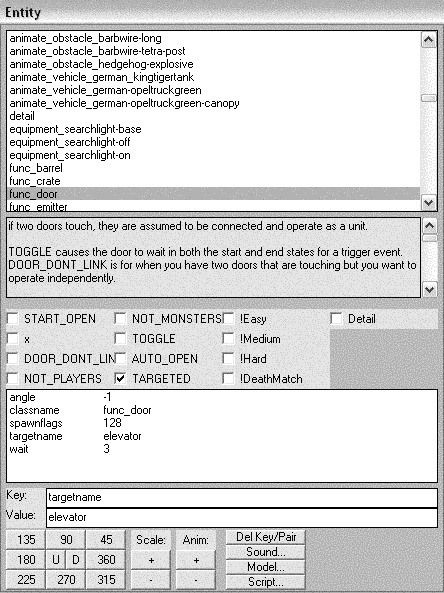
Now open your entity window (Press ‘N’) and fill out the following stuff (key/Value):
Angle
Wait/ 3 (This tells the elevator to wait 3 seconds till it goes down. You may want to change this.)
Targetname/ elevator (This one is necessary for the trigger.)
Spawnflags/ 128 (Or click on ‘Targeted’.)
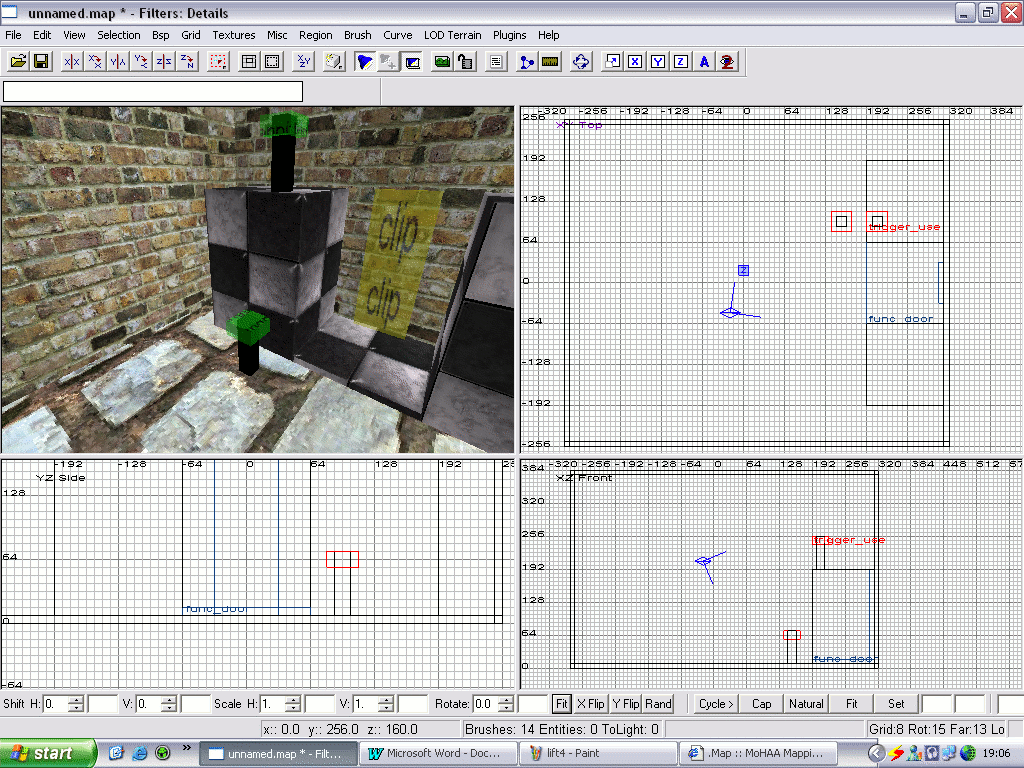
Now make two stick-like brushes (see picture), and make them look like activation panels.
Give them a nice texture. Put one in the top and one on the ground.
Now make a ‘Trigger -> Use’ at the top of your stick-like brush, at both of them.
with both triggers selected press ‘N’ and type this key/value:
target
Now compile your map and test it!
You can only activate the elevator with the triggers.
If you don’t want that, just remove the Spawnflags/ 128.
Site Logo and Graphics by DJ "panTera" Bloot Site design © copyright 2003 Chris "Surgeon" Wood This site is best viewed using Internet Explorer 6 @ 1024x768. All images and documents © copyright 2003 respective owners.